Feature Guide

The Wine Pilot Feature Guide

Ten illustrated pages that walk you through everything in the app.

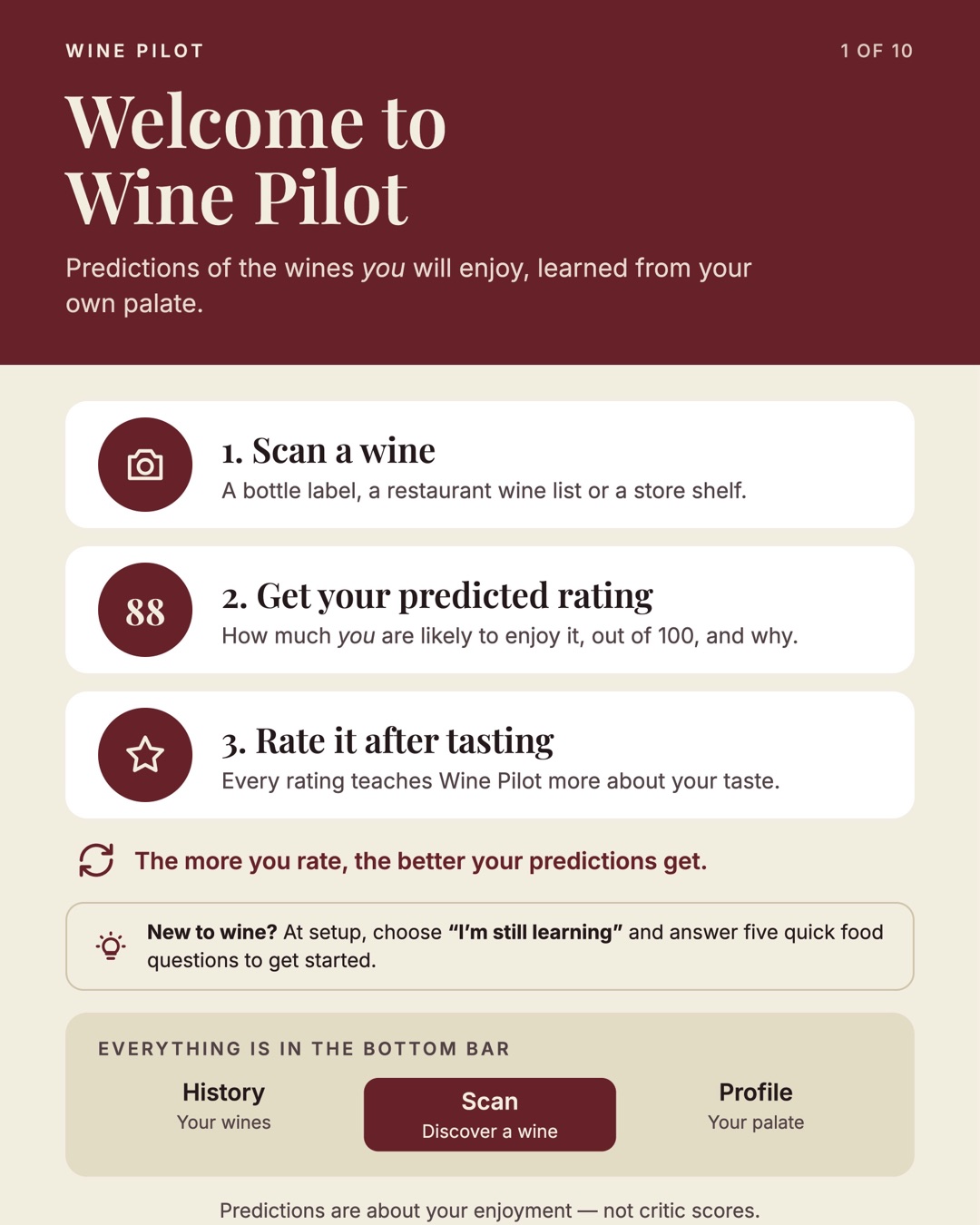
Welcome to Wine Pilot. 1, scan a wine: a bottle label, a restaurant wine list or a store shelf. 2, get your predicted rating out of 100 and why. 3, rate it after tasting. The more you rate, the better your predictions get. New to wine? At setup, choose "I'm still learning" and answer five quick food questions. Everything is in the bottom bar: History, Scan and Profile.
1 of 10 Welcome to Wine Pilot Back to top ↑
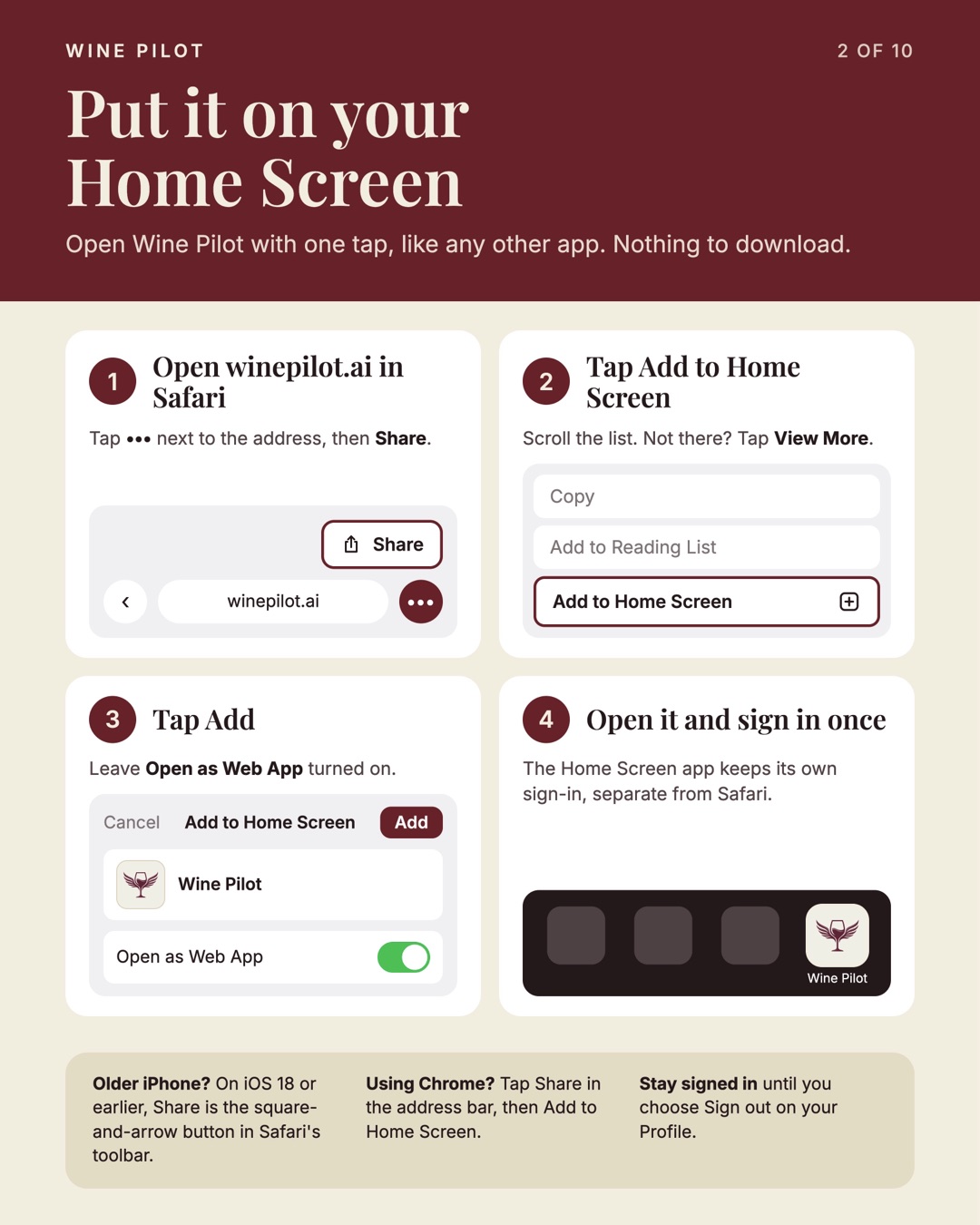
Put it on your Home Screen. 1, open winepilot.ai in Safari, tap the three dots next to the address, then Share. 2, tap Add to Home Screen. 3, tap Add and leave Open as Web App on. 4, open it and sign in once; the Home Screen app keeps its own sign-in.
2 of 10 Put it on your Home Screen Back to top ↑
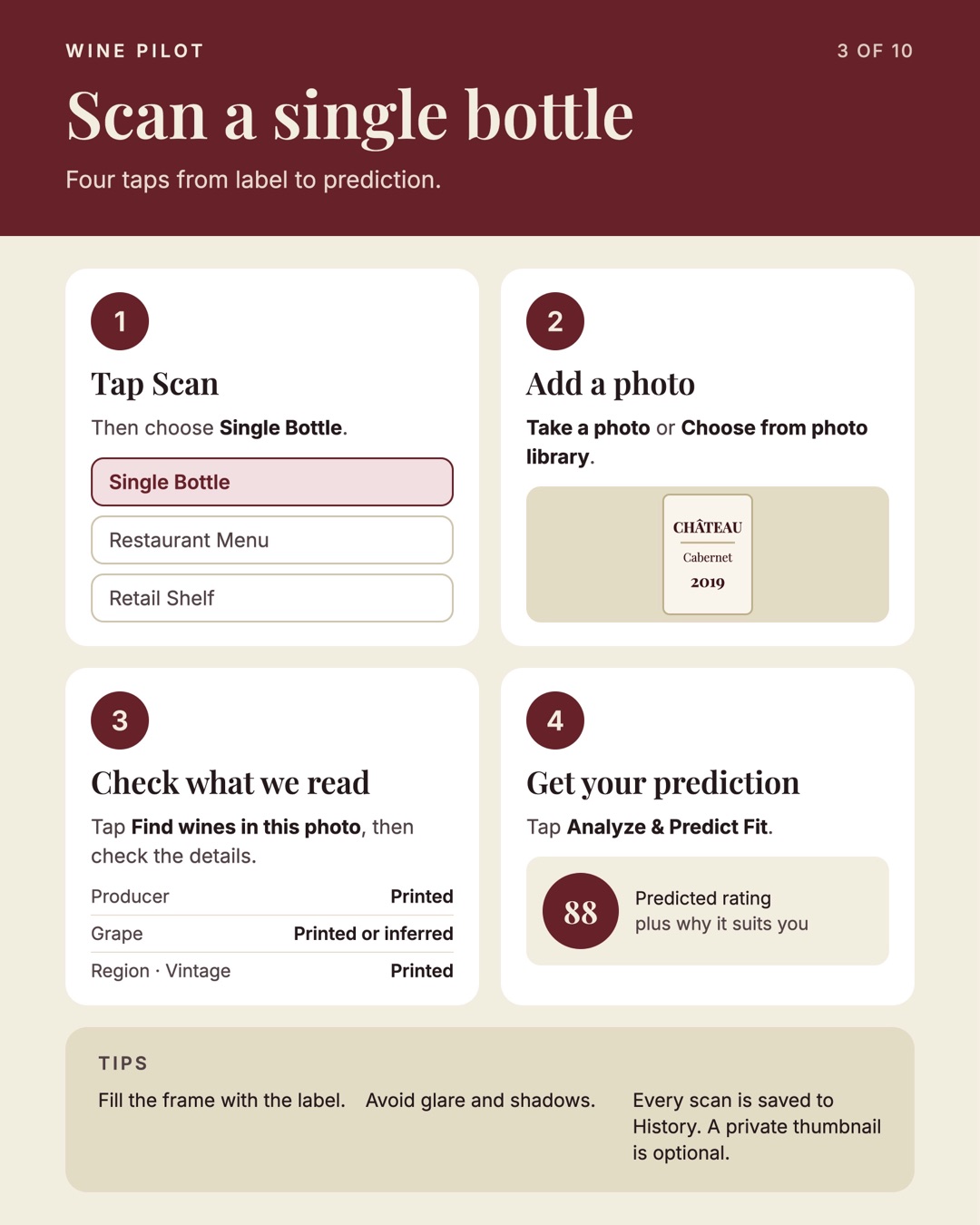
Scan a single bottle in four taps. 1, tap Scan, then Single Bottle. 2, take a photo or choose one from your library. 3, tap Find wines in this photo and check the details. 4, tap Analyze and Predict Fit. Tips: fill the frame with the label and avoid glare.
3 of 10 Scan a single bottle Back to top ↑
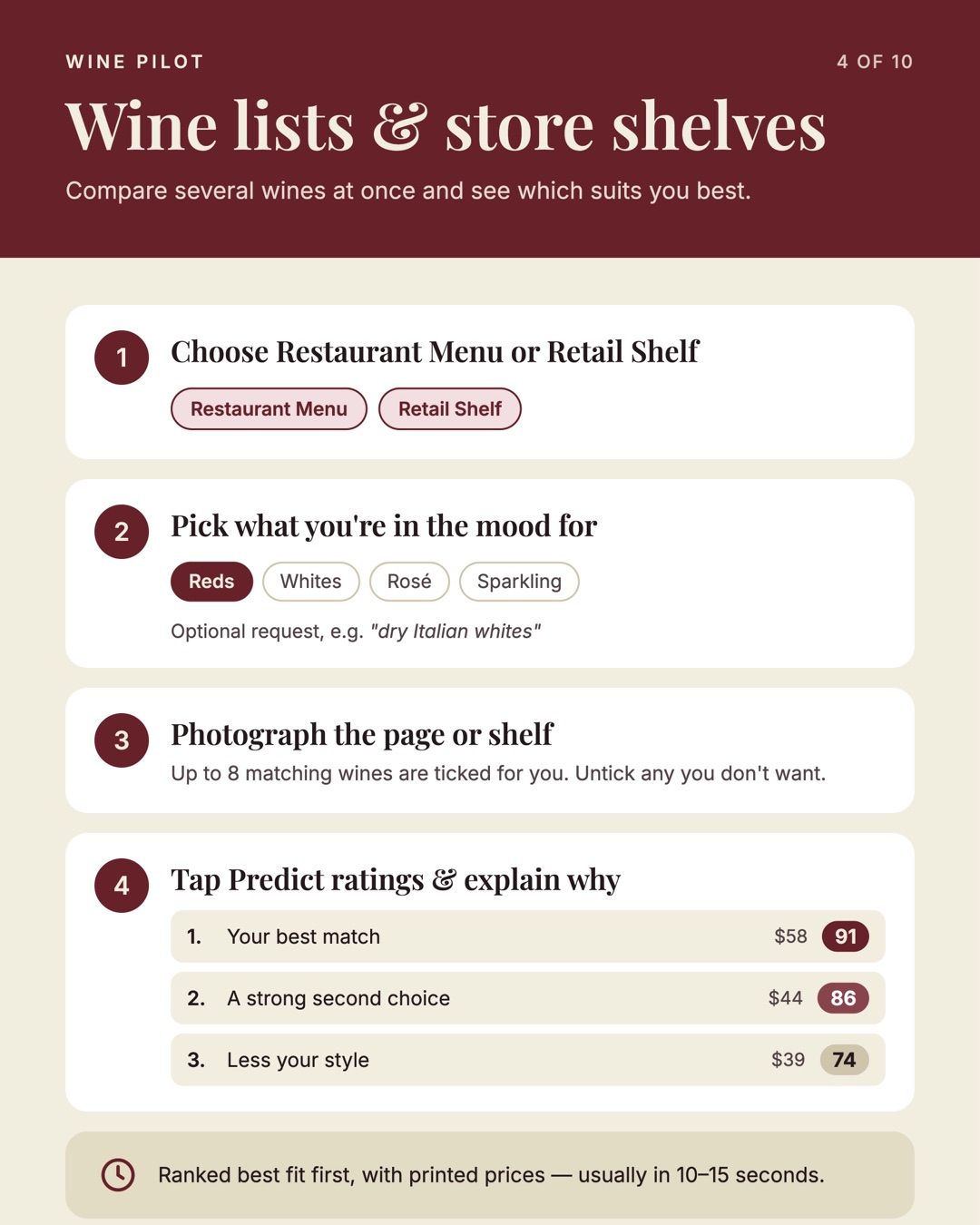
Wine lists and store shelves. 1, choose Restaurant Menu or Retail Shelf. 2, pick reds, whites, rosé or sparkling, with an optional request. 3, photograph the page or shelf; up to 8 matching wines are ticked. 4, tap Predict ratings and explain why. Ranked best fit first with printed prices, usually in 10 to 15 seconds.
4 of 10 Wine lists & store shelves Back to top ↑
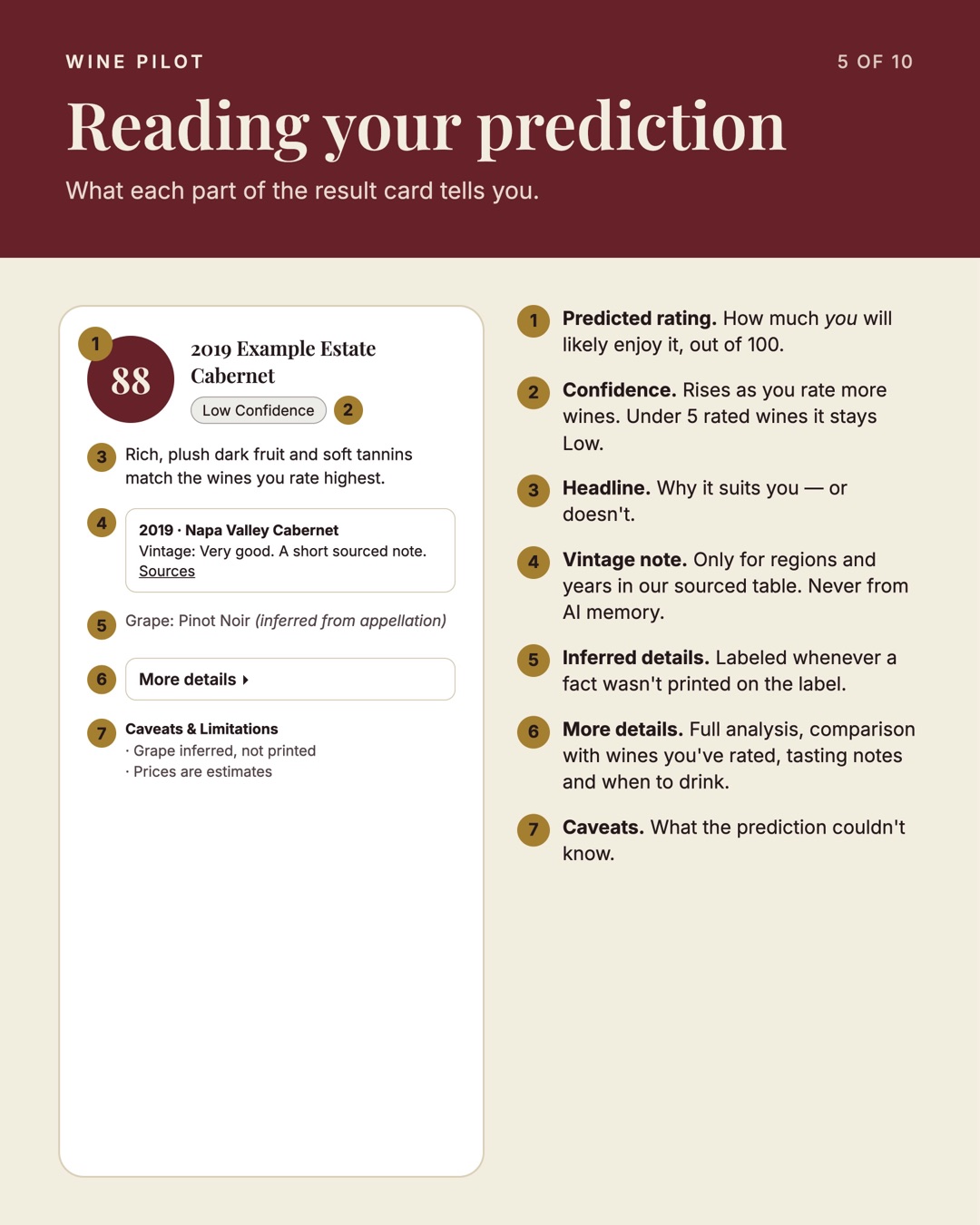
Reading your prediction: predicted rating out of 100; confidence, which stays Low under 5 rated wines; headline explaining why it suits you; vintage note only from a sourced table; inferred details labeled; more details; and caveats.
5 of 10 Reading your prediction Back to top ↑
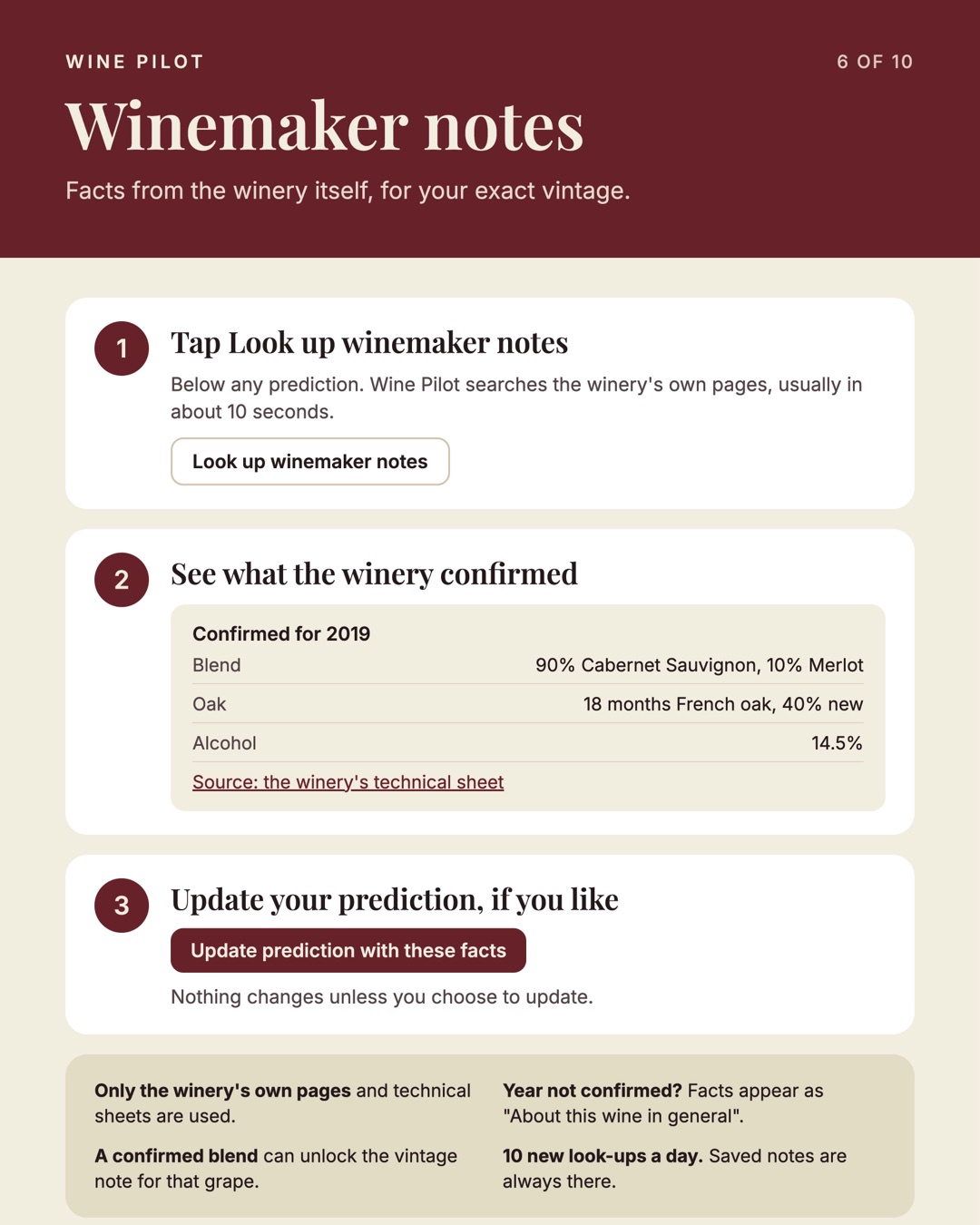
Winemaker notes. 1, tap Look up winemaker notes below any prediction. 2, see what the winery confirmed for your vintage, such as blend, oak and alcohol, with the source. 3, optionally update your prediction with these facts. Only the winery's own pages are used; 10 new look-ups a day.
6 of 10 Winemaker notes Back to top ↑
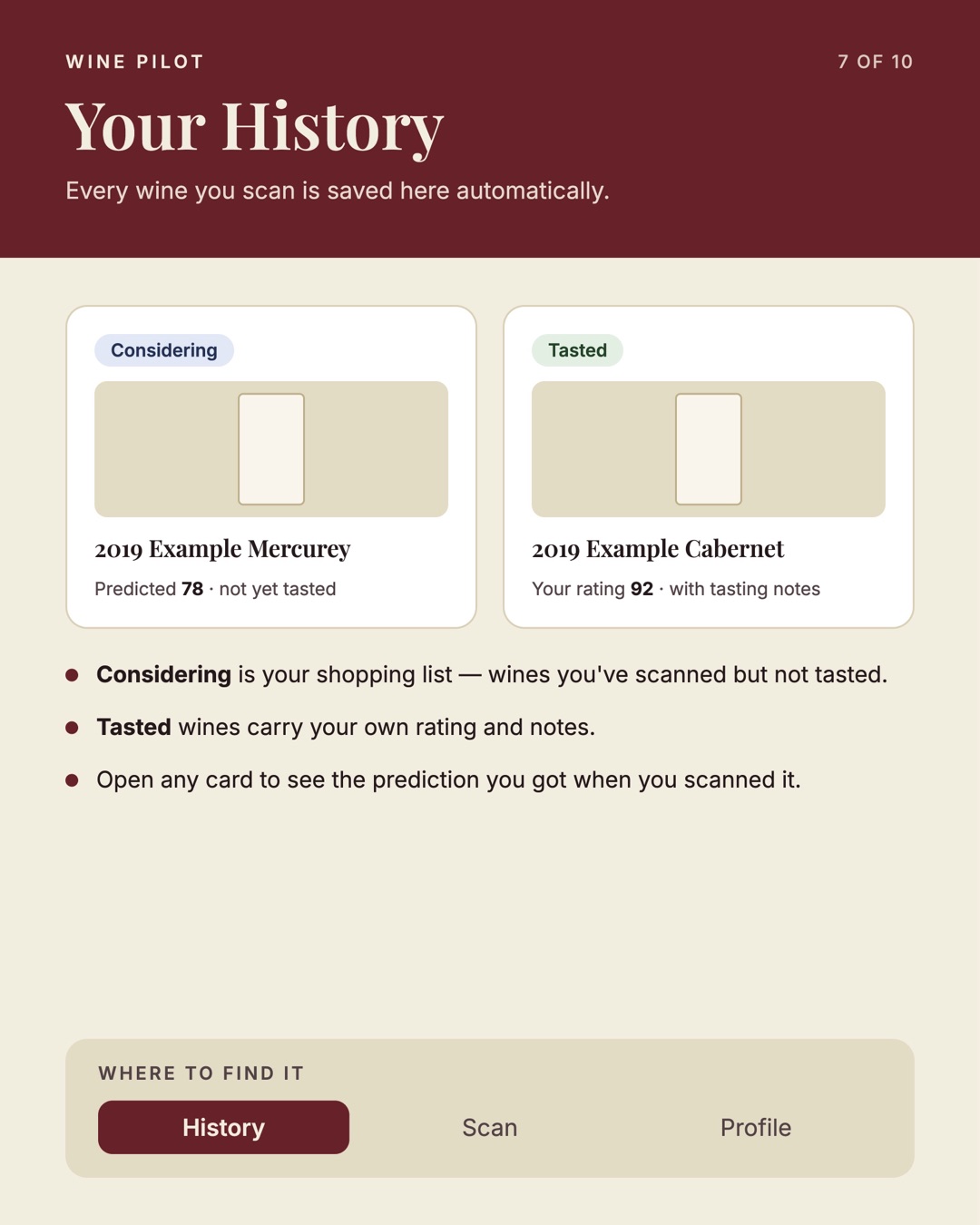
Your History. Every wine you scan is saved automatically. Considering is your shopping list of wines scanned but not tasted. Tasted wines carry your own rating and notes. Open any card to see the prediction you got.
7 of 10 Your History Back to top ↑
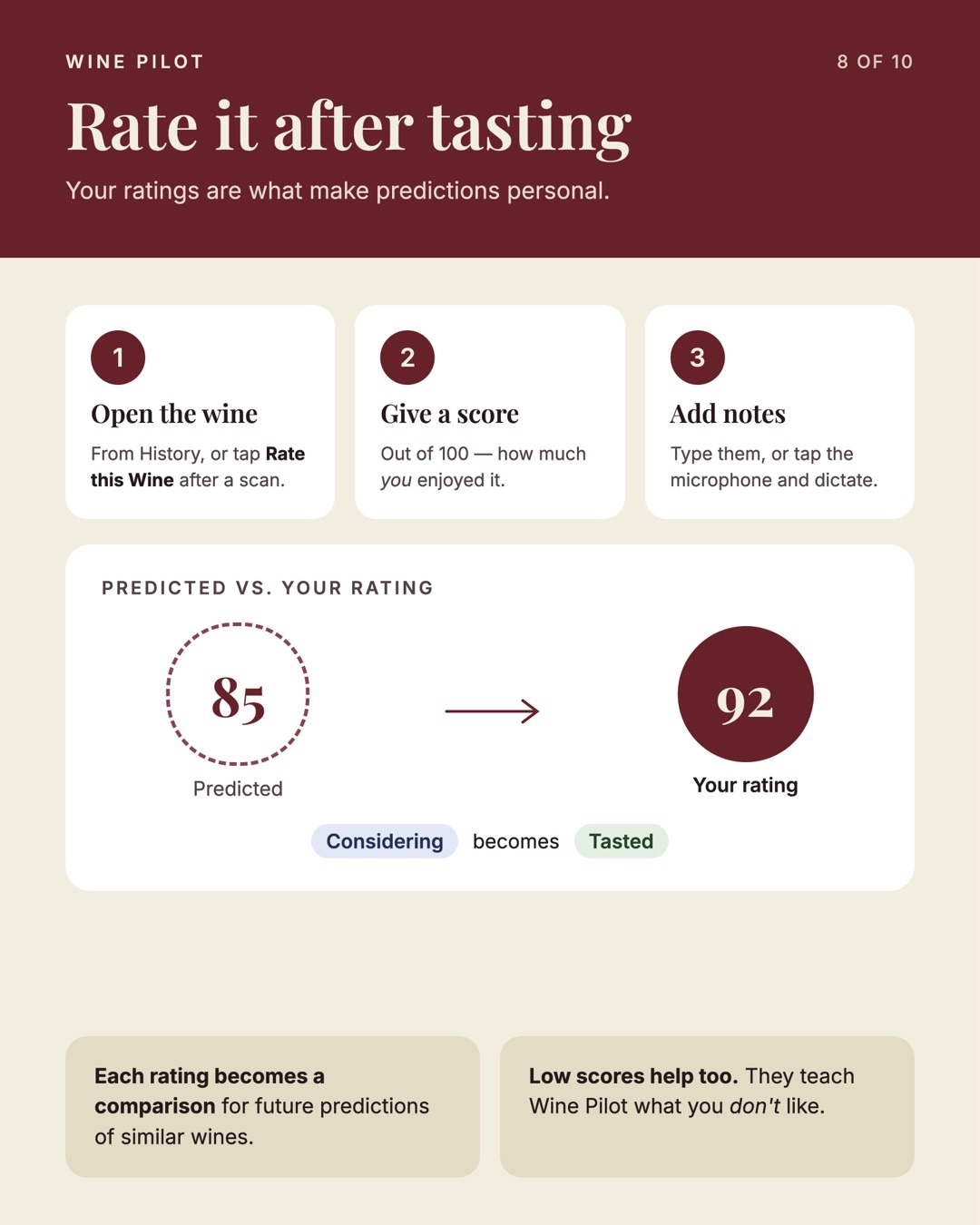
Rate it after tasting. 1, open the wine from History or tap Rate this Wine. 2, give a score out of 100. 3, add notes by typing or dictating. Predicted versus your rating; the wine moves from Considering to Tasted. Low scores help too.
8 of 10 Rate it after tasting Back to top ↑
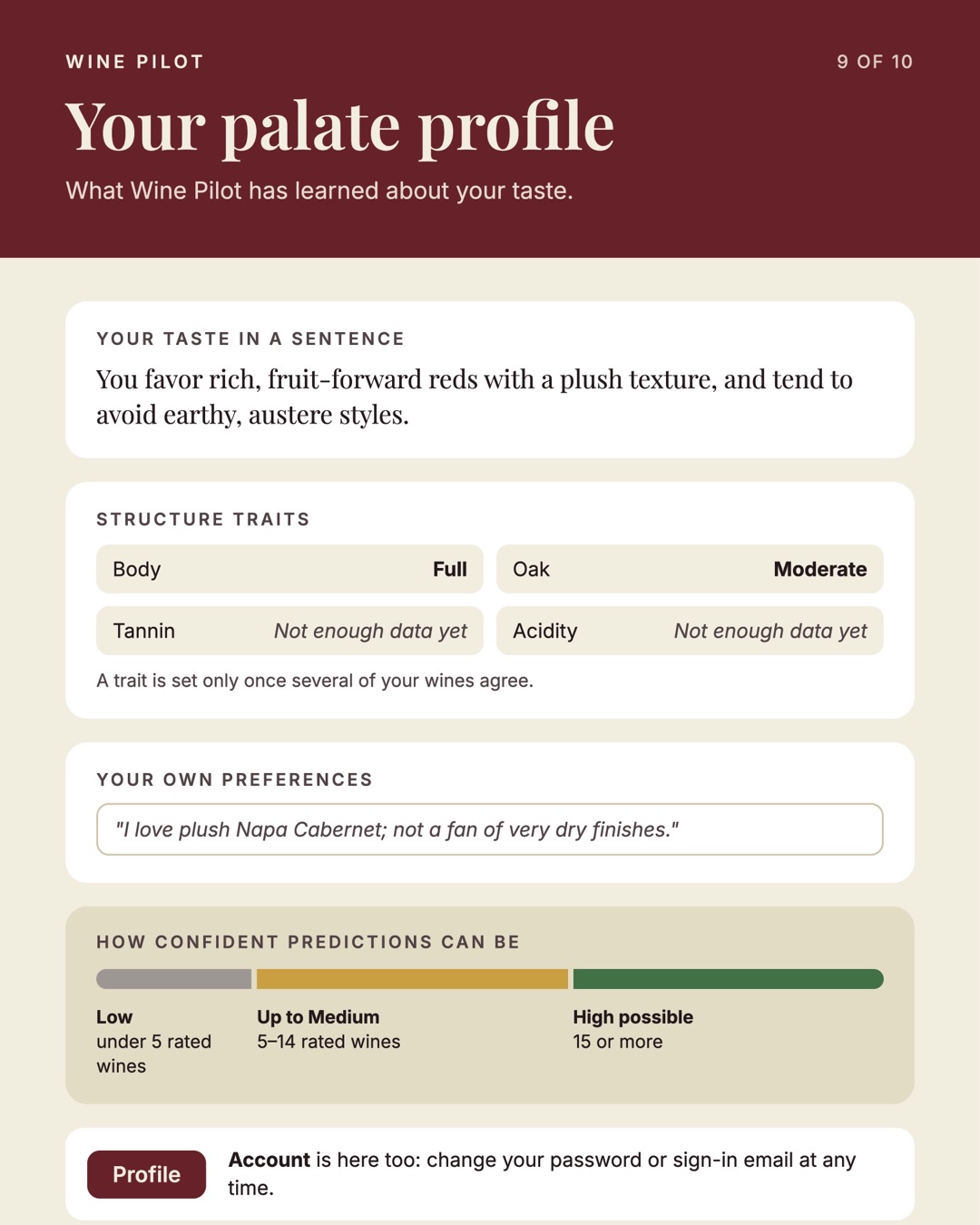
Your palate profile: your taste in a sentence, structure traits such as body and oak, your own preferences in your words, and how confident predictions can be: Low under 5 rated wines, up to Medium with 5 to 14, High possible with 15 or more.
9 of 10 Your palate profile Back to top ↑
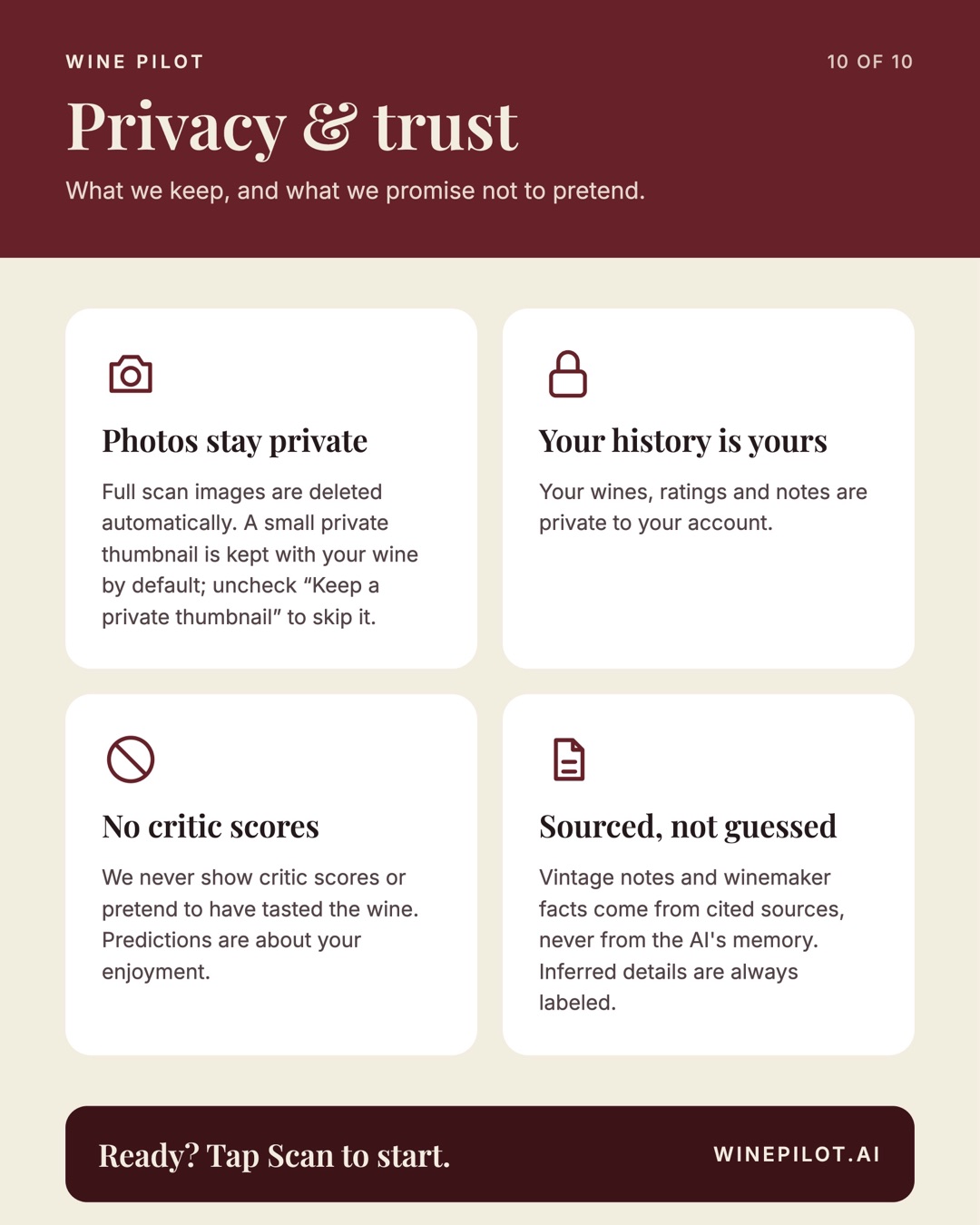
Privacy and trust. Photos stay private: full scan images are deleted automatically and a small private thumbnail is kept by default unless you uncheck it. Your history is yours. No critic scores. Sourced, not guessed. Ready? Tap Scan to start.
10 of 10 Privacy & trust Back to top ↑

Download the PDF